Selecting an EAM platform gets harder when maintenance planning, compliance records, and asset history have to work across real operating conditions. Most evaluation problems begin with weak hierarchy design, poor maintenance data, and disconnected workflows between maintenance, inventory, and finance.
MarketsandMarkets projects the enterprise asset management market will grow from USD 5.87 billion in 2025 to USD 9.02 billion by 2030. However, market growth does not reduce evaluation risk. It makes platform fit, asset data quality, and workflow support more important.
Buyers looking at IFS Cloud need to know how well it handles asset lifecycle management, preventive maintenance, analytics, and cross-functional coordination once the system becomes part of daily work. A useful evaluation should test whether the platform helps planners, supervisors, reliability teams, and service operations work from records they can trust, schedules they can maintain, and reporting they can defend.
This guide covers:
- How IFS Cloud EAM handles asset data, maintenance planning, and connected operational workflows
- What to verify before committing to compliance, analytics, and lifecycle management at scale
- Where implementation, support, and cross-functional dependencies affect long-term asset performance and control
P.S. The broader decision usually becomes clearer once implementation constraints and support expectations are reviewed. Astra Canyon offers FS ERP Implementation and IFS ERP Support services to help organizations plan and design IFS environments, align business processes, manage projects, support training, and handle functional and technical support once the system is live.
Book a strategy session to identify planning gaps early and reduce avoidable rework before rollout decisions harden.
TL;DR: What To Pressure-Test Before You Commit
|
Evaluation Area
|
What To Inspect Closely
|
|
Asset Data And Hierarchies
|
Check whether asset structures, parent-child relationships, failure history, and location context are reliable enough to support planning, reporting, and asset lifecycle management across sites.
|
|
Maintenance Planning Logic
|
Review how preventive maintenance, corrective work, inspections, and condition-based triggers generate work orders, assign priorities, and affect schedule adherence.
|
|
ERP, Supply Chain, And Field Service Connections
|
Confirm whether parts demand, procurement status, cost tracking, service execution, and asset operations stay connected instead of forcing teams into manual record-chasing.
|
|
Analytics And Real-Time Visibility
|
Verify that dashboards, alerts, and analytics expose actionable conditions early enough for planners, supervisors, and reliability leads to act before downtime expands.
|
|
Compliance And Reliability Evidence
|
Inspect whether approval records, inspection history, maintenance evidence, and asset lifecycle controls remain complete, traceable, and usable during audits or failure reviews.
|
|
Multi-Site Governance
|
Compare how the platform handles naming standards, role permissions, reporting consistency, and asset data ownership when enterprise standardization matters.
|
|
EAM Implementation Readiness
|
Validate migration scope, role design, mobile workflow fit, maintenance schedules, reporting requirements, and cutover assumptions before configuration work begins.
|
|
Ongoing IFS Support
|
Determine how Level 2 issue resolution, configuration changes, user support, and post-go-live system adjustments will be handled once operations depend on the platform daily.
|
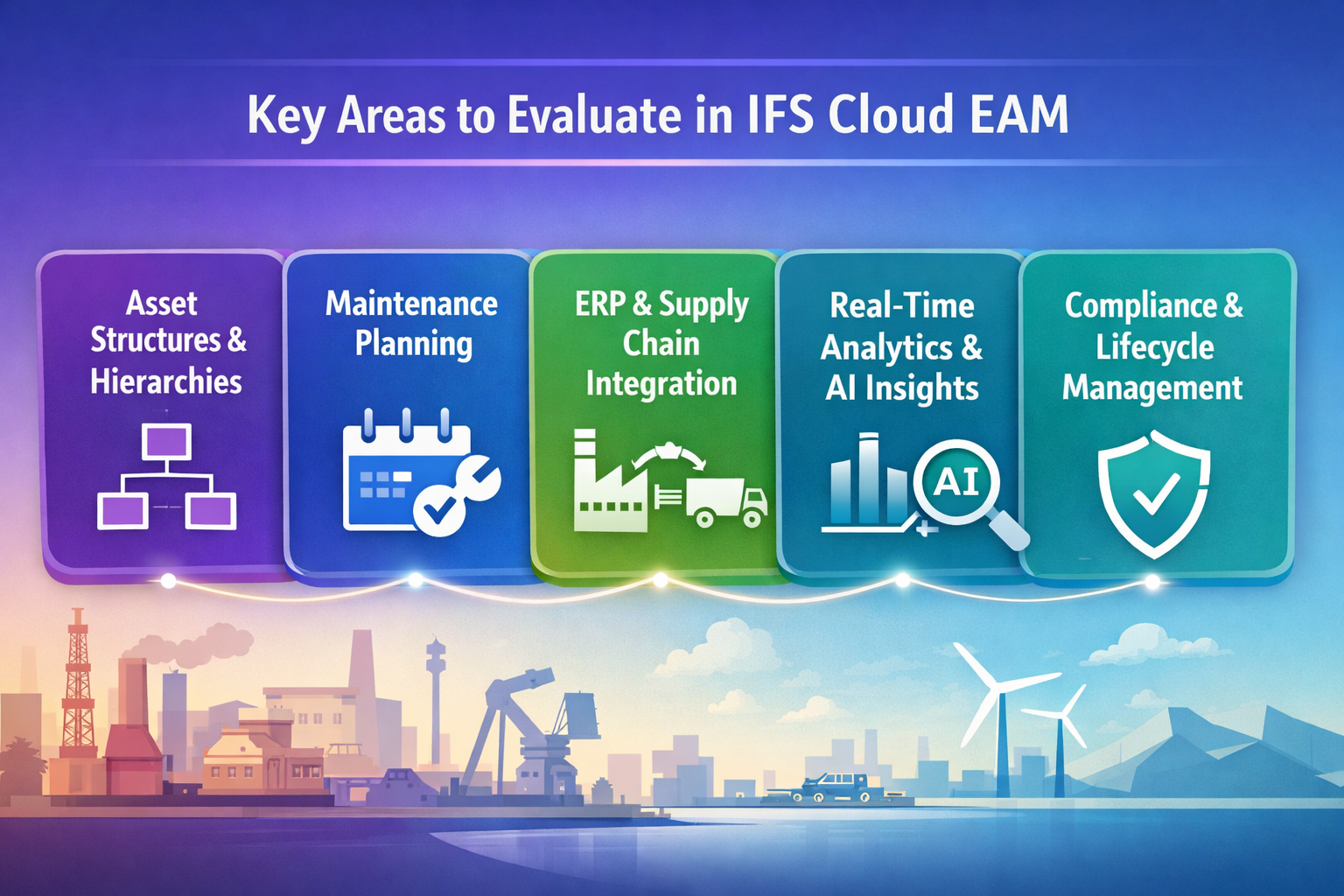
What To Evaluate In IFS Cloud for Enterprise Asset Management EAM
A serious review of IFS Cloud EAM should focus on system behavior under maintenance load, not just feature coverage. The evaluation needs to test record quality, maintenance planning, compliance support, and how well the platform stays connected to the wider ERP environment when schedules move, parts are short, or corrective work interrupts the week. In asset-intensive operations, those points affect downtime, cost allocation, backlog control, and the reliability of maintenance history. For many teams, the platform also needs to serve as a practical management solution that helps them manage assets with enough visibility and control to support day-to-day execution.
How IFS Cloud EAM Structures Assets, Hierarchies, and Asset Data
Weak asset structures create problems quickly. Failure history becomes harder to interpret, maintenance cost gets attached to the wrong level, and replacement decisions lose context when parent-child relationships are inconsistent or incomplete.
IFS enterprise asset management should be evaluated on how well asset records reflect the way work is planned, executed, and reviewed. That includes hierarchy depth, location context, service history, failure coding, and ownership of core master data. Those records need to remain consistent across sites, especially when the environment includes regulated equipment, fleets, infrastructure, or a complex asset with multiple maintainable components. This is a basic requirement for any enterprise asset management software platform expected to support asset lifecycle management at scale.
Status changes and lifecycle records deserve the same scrutiny. Commissioning, modification, transfer, and retirement all affect how maintenance history is interpreted later. If teams still need spreadsheets to explain hierarchy gaps or missing relationships, the platform will struggle to support dependable planning. It will also weaken asset performance reporting because cost, condition, and work history no longer align with the asset life being managed. That becomes a direct issue for teams trying to optimize asset performance and improve asset reliability over time.
How Maintenance Planning Works Across Preventive, Predictive, and Corrective Work
Planning quality is one of the clearest indicators of whether an EAM platform will help or create more friction. Work order storage is not enough. The system has to support preventive work, urgent repairs, inspection follow-up, and backlog control when labor, parts, and operating windows are all competing constraints.
Planning logic should be checked where the schedule starts to shift. Generated work orders need enough task detail, parts context, labor expectations, and approval logic to support execution without rework. Inspection findings and condition signals need to become actionable work before the asset moves into failure. Corrective work also needs discipline, because poorly classified urgent jobs can distort backlog reporting and weaken future planning. In practical terms, this is where an EAM solution either supports preventive maintenance and predictive maintenance properly or leaves maintenance teams managing exceptions outside the system.
-
Preventive Maintenance Logic: Review how time-based and meter-based plans are triggered, adjusted, and prioritized when planners need to manage changing production windows, outage timing, or site-specific constraints.
-
Work Order Generation: Check whether generated work orders carry the right task detail, parts context, labor expectations, and approval path so technicians are not reconstructing the job at the point of execution.
-
Predictive And Condition-Based Work: Inspect how condition findings, sensor-driven triggers, or inspection exceptions move into actionable work. Predictive maintenance only improves reliability when alerts are early enough and specific enough to change the plan.
-
Corrective Response Control: Compare how emergency and reactive work is recorded, prioritized, and closed so urgent repairs do not weaken history quality or distort future planning.
-
Backlog And Schedule Adherence: Confirm whether the system helps planners optimize maintenance schedules, track deferred work, and distinguish true backlog risk from poorly classified work order volume.
These checks determine whether planners can trust the schedule, whether maintenance costs are being controlled, and whether the organization has a realistic path to reduce downtime, lower maintenance costs, and reduce costs tied to poor schedule discipline.
How IFS Cloud Connects Asset Operations to ERP, Supply Chain, and Field Service
Maintenance execution depends on records and approvals outside the maintenance team. Materials availability, purchasing status, labor cost capture, service completion, and financial posting all affect whether planned work stays on schedule and whether the final record is usable. Connected workflow continuity is one of the strongest reasons to evaluate IFS Cloud for enterprise asset management EAM instead of a narrower tool.
A useful test starts with a single planned job. Check whether planners can see parts status without leaving the workflow, whether purchasing updates appear early enough to protect the date, and whether the final cost lands against the correct asset and work order. Gaps at those points create delay, duplicate handling, and unreliable cost history. They also make it harder to optimize resources across maintenance, materials, and service teams.
The same review should cover field-facing execution where maintenance overlaps with field service or field service management. Work needs to move cleanly from alert to dispatch, from service completion to asset history, and from cost capture to follow-up planning. If those handoffs break, the platform will not support accurate total cost of ownership or consistent asset records. In a connected ERP environment, that workflow continuity is part of what transforms asset operations from isolated task management into coordinated execution across supply chain, finance, and service.
Read Next: How an ERP System Transforms Field Service Management for Operational Efficiency
How Real-Time Visibility, Analytics, and AI-Driven Insights Affect Asset Performance
Real-time visibility, analytics, and AI-driven insights are only useful when they support an earlier or better maintenance action. Buyers need to check timing, context, and follow-through. An alert that arrives after the schedule has already failed or a dashboard that cannot be traced back to the source record does not add much operational value.
The platform should surface missed inspections, overdue work, deteriorating conditions, and repeat failures early enough for planners, supervisors, and reliability leads to respond. Users also need a clear path from the dashboard signal into the asset record, work order history, inspection detail, or maintenance plan behind it. Without that drill-down path, teams spend time interpreting reports instead of acting on them. This is also where claims about asset intelligence and AI-driven insights need proof in the form of usable alerts, explainable logic, and action that can be taken before reliability drops.
-
Operational Alerts: Check whether alerts surface deteriorating conditions, missed inspections, repeat failures, or overdue work soon enough for planners and supervisors to intervene.
-
Decision-Useful Analytics: Review how the platform supports backlog age, schedule compliance, repeat failure analysis, cost by asset class, and other metrics tied to real maintenance control.
-
Drill-Down Behavior: Confirm whether users can move from a dashboard signal into the asset record, work order history, or maintenance plan without piecing together multiple reports.
-
Asset Performance Context: Compare whether asset performance management views combine work history, cost, inspections, and condition data clearly enough to support action.
-
AI Validation: Ask what data supports the recommendation, how the model logic is explained, and what maintenance action the user is expected to take next.
Claims around asset intelligence should be checked with the same discipline applied to work order flow or compliance records. The practical test is whether the system helps teams act sooner, diagnose patterns more accurately, and support asset performance with IFS Cloud using records they trust. That is also where teams can assess the benefits of IFS Cloud EAM without relying on high-level product language.
How IFS Cloud EAM Supports Compliance, Reliability, and Asset Lifecycle Management
Compliance failures and reliability gaps often start in the same place: incomplete records, weak approval history, and maintenance evidence that cannot be traced back to the asset. That risk grows in regulated operations, multi-site environments, and any setting where inspection quality and service history affect both audit readiness and asset decisions.
The platform should retain a complete trail of work orders, inspection forms, technician notes, approvals, and supporting documents at the asset level. Lifecycle events matter as well. Commissioning, modification, transfer, and retirement need to remain visible in the record so maintenance history can still be interpreted correctly after the asset changes state or location.
For organizations thinking about the future of enterprise asset management, this is one of the clearest tests of whether the platform supports long-term control rather than short-term record capture.
-
Maintenance Evidence: Confirm that work orders, inspection forms, approvals, technician notes, and service history remain attached to the correct asset and can be retrieved quickly during reviews or audits.
-
Lifecycle Control: Review whether asset lifecycle management software supports commissioning, maintenance, modification, transfer, and retirement without breaking historical traceability.
-
Regulatory Readiness: Check how compliance records, approval steps, and supporting documents are retained when the business needs defensible evidence for regulatory compliance.
-
Reliability Signals: Compare whether failure codes, inspection history, repeat repair trends, and condition findings can be viewed together to support asset reliability analysis.
-
Governance Ownership: Confirm which roles can update core asset records, approve changes, and control key maintenance history so data does not drift across teams or sites.
This area of the evaluation affects more than audit preparation. It determines whether maintenance evidence, lifecycle controls, and reliability records stay complete enough to support
decisions with confidence and whether the organization can maintain asset lifecycles without losing operational context.
What To Ask Before You Commit to an IFS EAM Implementation
Implementation risk usually shows up before configuration is finished. Asset master data may be incomplete, maintenance schedules may not be standardized, reporting expectations may still be vague, and role ownership may change from site to site. Those gaps are easier to identify before migration, testing, and training start to absorb project time.
The project scope needs to be tested against operating reality. That means defining what data will be migrated, how preventive and corrective workflows will work in the system, which roles own planning and approvals, what reporting is required at go-live, and how post-go-live support will be handled. Without that detail, the rollout can remain technically active while still falling short operationally.
Those early checks also help teams decide whether the platform can manage assets in the way the business actually operates, rather than in the way the project assumes it should.
-
Data Scope: Request a defined list of asset master data, hierarchy structures, maintenance schedules, service history, spare parts records, and other objects that will be migrated, rebuilt, or archived.
-
Workflow Fit: Validate how preventive, corrective, shutdown, inspection, and mobile execution scenarios will work in the system rather than accepting a generic process map.
-
Role Design: Review who owns planning, approvals, execution, stores coordination, reliability review, and support tasks once the system is live.
-
Reporting Needs: Ask for the exact dashboards, exceptions, and operational reports required at go-live so decision support is not deferred indefinitely.
-
Support Model: Confirm how issue handling, enhancement requests, user questions, and governance decisions will be managed after cutover.
Read Next: Mastering IFS ERP Data Migration: Proven Best Practices for a Seamless Implementation
Where IFS Cloud EAM Fits Best and Where Buyers Should Be Careful
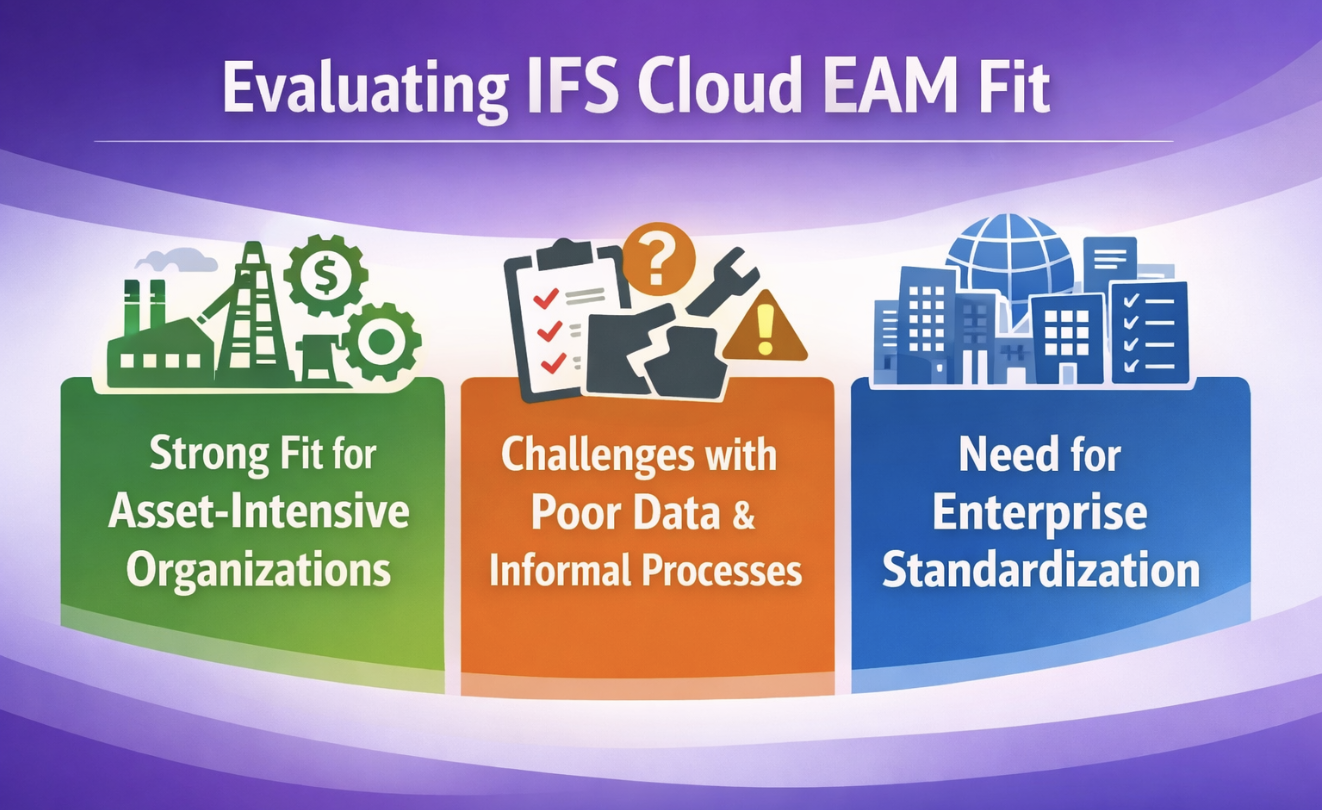
Platform fit depends on operating discipline as much as software capability. IFS Cloud EAM works better where maintenance, inventory, procurement, finance, and service execution rely on connected records and clear ownership. It becomes harder to get consistent value when sites use conflicting asset structures, uneven planning rules, or local workarounds that never make it into the system. Buyers should compare platform fit against the level of process control the organization can sustain after go-live.
Strong Fit for Asset-Intensive Organizations With Cross-Functional Dependencies
IFS Cloud EAM suits asset-intensive organizations where maintenance work depends on accurate cost visibility, spare parts coordination, service history, and enterprise-level controls. Utilities, industrial manufacturers, mining operations, transportation fleets, and other environments with high-value assets often need one EAM platform to connect maintenance records to broader planning and financial workflows. In these environments, the IFS EAM solution often sits inside a wider enterprise resource planning environment that needs maintenance, service, and cost records to stay aligned.
Fit improves when maintenance, inventory, procurement, finance, and service execution depend on the same record set. Teams can analyze costs more reliably, make better schedule decisions, and assign clearer ownership to asset history. That structure also helps teams optimize asset performance, reduce maintenance costs, and compare repair-versus-replace decisions with more confidence. In environments where uptime is tightly managed, the same structure can extend asset life and expose asset failures earlier.
More Challenging in Environments With Weak Master Data and Informal Maintenance Processes
Weak master data and informal maintenance practices limit what the platform can do. Incomplete asset records, inconsistent work order quality, and locally defined planning rules weaken reporting and reduce user trust. Multi-site comparisons lose value quickly when each location interprets hierarchy, status, or closure differently.
Common warning signs appear early. Preventive schedules drift because intervals were never standardized. Failure codes mean different things across plants. Maintenance teams keep working from spreadsheets because the system record is incomplete or unreliable. Reporting becomes difficult to defend because hierarchy logic, status codes, and closure quality vary too widely. A poor foundation will also limit what Cloud EAM offers, because advanced workflows, analytics, and asset tracking still depend on disciplined data and maintenance processes.
What Changes When You Need Enterprise Standardization Across Sites
Enterprise standardization raises the bar on governance. Shared KPIs, common reporting, and centralized oversight require tighter control over naming, hierarchy rules, role permissions, and maintenance definitions. Local flexibility may still be possible, but the cost of inconsistency rises quickly once multiple sites are compared from the same reporting and compliance framework.
A single-site environment can tolerate more local shorthand because users already understand the context behind the records. Multi-site environments need clearer hierarchy governance, more disciplined planning rules, stronger permission models, and more structured support. Buyers should check whether asset tracking stays consistent across locations, whether fleet management or distributed field activity can be governed cleanly, and whether EAM in IFS aligns maintenance standards closely enough to support enterprise reporting.
Implementation and Support Realities That Shape Long-Term Value
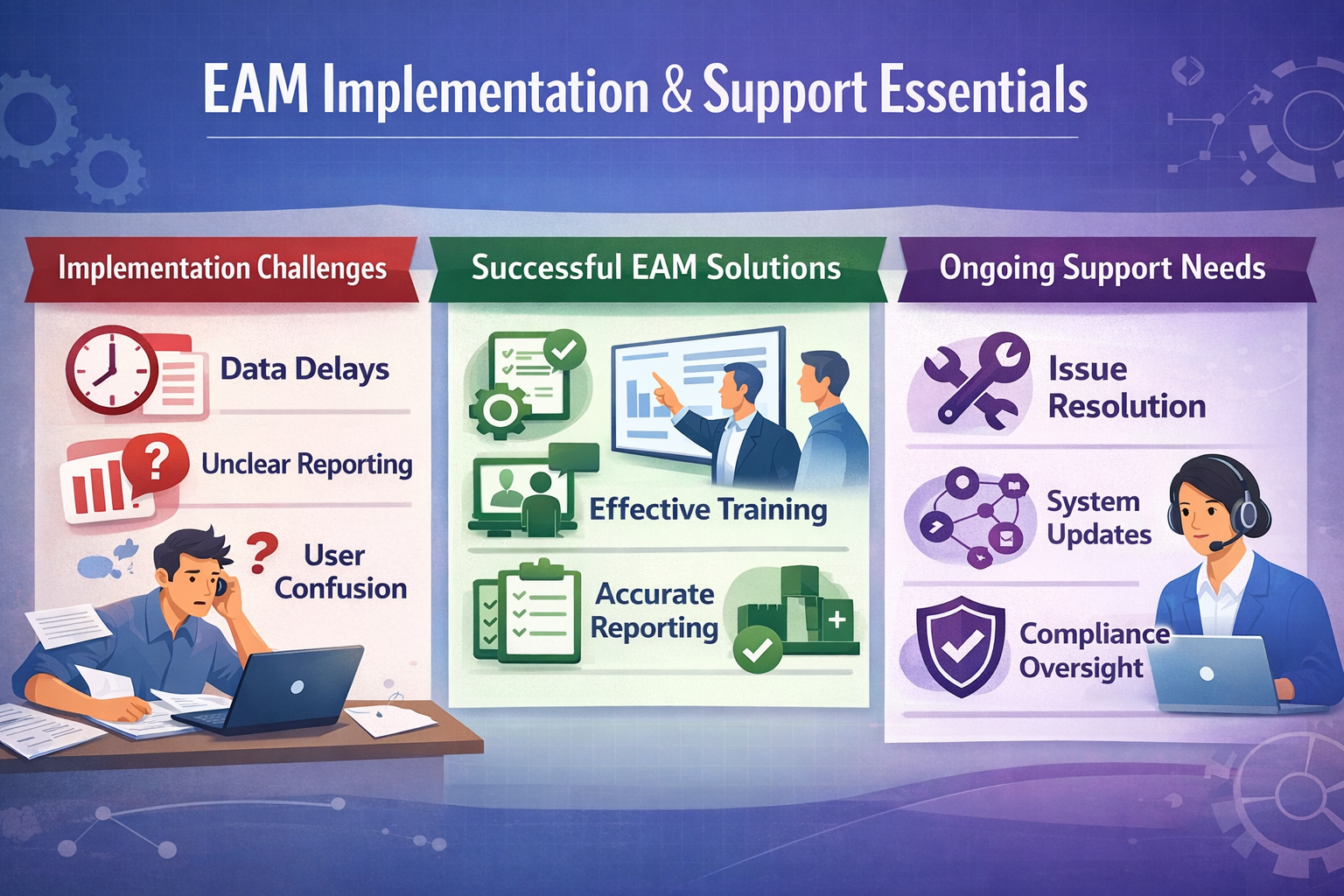
Implementation quality and post-go-live support often decide whether the system remains trusted after launch. A technically sound configuration can still struggle if asset data arrives late, reporting needs remain vague, or users do not know how to handle exceptions. Support gaps create a separate problem. Questions remain unresolved, changes accumulate without governance, and planners revert to offline tracking when the system no longer matches daily work. Those risks grow when the platform supports broader enterprise software decisions rather than maintenance tasks alone.
What Good EAM Implementation Work Actually Looks Like
Good implementation work turns maintenance strategy into usable records, workflows, and responsibilities. That includes planning and design, process definition, role mapping, reporting requirements, training, and cutover preparation. The workload grows when the environment includes multiple sites, regulated assets, field execution, or older data that needs cleanup before migration.
Implementation quality shows up in operational detail. Workflows need to reflect how planners, supervisors, technicians, store teams, and reliability roles actually work. Reporting needs to be defined early enough to support go-live decisions. Training needs to match job responsibilities, not just system navigation. Environments using IFS asset records, IFS fleet structures, or industry-specific controls, such as those found in aerospace and defense, need even tighter definition before migration and testing begin.
What Ongoing Support Should Cover After Go-Live
Once the system is live, support shifts from project work to daily problem-solving. Maintenance teams need help with user questions, configuration adjustments, issue resolution, reporting gaps, and system changes as operating conditions evolve. Slow response in those areas weakens adoption quickly.
Post-go-live support needs to protect record quality and workflow continuity. Teams evaluating performance with IFS Cloud EAM should check how quickly reporting changes can be made, how process adjustments are reviewed, and how new uses of industrial AI are introduced without weakening control over the production environment. Support also needs to keep pace with changes in planning rules, asset structures, and compliance requirements so the system continues to support reliable execution.
For support details, see IFS ERP Support.
Making The Right EAM Decision Before Complexity Multiplies
A strong enterprise asset management software evaluation should test whether the platform supports work that planners, supervisors, and reliability teams can actually maintain over time. That means checking how IFS Cloud EAM handles hierarchy quality, maintenance planning, compliance records, reporting consistency, and cross-functional workflow continuity before rollout assumptions become expensive to reverse.
-
Check what users can trust: Review whether asset records, schedule logic, failure history, and cost data remain accurate enough for daily planning and analysis.
-
Compare workflow continuity: Follow a real maintenance scenario across parts, approvals, labor, service execution, and closeout to see where delays or duplicate handling appear.
-
Confirm supportability early: Establish how post-go-live issues, reporting changes, configuration updates, and user questions will be handled before the system becomes central to operations.
The next step usually becomes clearer once workflow design, implementation scope, and support responsibilities are reviewed together. Astra Canyon offers IFS ERP Implementation and IFS ERP Support to help organizations with implementation planning, workflow alignment, technical guidance, and ongoing support around IFS environments where maintenance and asset decisions affect daily operations.
Book a strategy session to clarify rollout priorities, reduce avoidable disruption, and make the EAM decision with stronger operational evidence.
Frequently Asked Questions
What Is Enterprise Asset Management?
Enterprise asset management is the coordinated management of physical assets across their operating life, including asset records, maintenance work, inspections, costs, and retirement planning. In day-to-day terms, it gives teams a structured way to decide what work is due, what failed, what it cost, what condition the asset is in, and what needs to happen next. The value depends on keeping asset, maintenance, cost, and inspection records connected well enough to support planning and analysis.
What Is The Difference Between EAM And CMMS?
A CMMS usually centers on maintenance execution, including work orders, schedules, labor tracking, and maintenance history. EAM extends further into asset lifecycle management, cost visibility, compliance evidence, capital planning, and broader enterprise control. The practical difference shows up when organizations need one system to support repair history, replacement decisions, audit records, and cost analysis across multiple sites or asset classes.
How Does EAM Software Help Reduce Unplanned Downtime?
EAM software helps reduce unplanned downtime when it improves schedule adherence, exposes repeat failure patterns, supports earlier intervention, and keeps labor and parts planning tied to actual asset conditions. The results depend on data quality and planning discipline. If work orders close with vague details or inspections are incomplete, the system will struggle to support reliable preventive or predictive action.
What Are The Core Capabilities Of Modern EAM Software?
Modern enterprise asset management software solutions usually include asset hierarchy management, work orders, preventive maintenance, inspections, parts coordination, reporting, mobile access, and cost tracking. More advanced platforms may also support condition-based work, predictive maintenance, asset performance management, and tighter integration with ERP, procurement, and service workflows. Buyers should compare how those capabilities behave in real workflows rather than assuming the feature names mean the same thing across vendors.
What Are The Benefits Of Cloud-Based EAM Solutions Compared To On-Premise?
Cloud-based EAM can make updates, environment consistency, and access across sites easier to manage. It can also reduce the infrastructure burden on internal teams. Those advantages only translate into operational value when integration, governance, reporting, and support are handled well. Buyers should compare deployment flexibility against security, change control, workflow fit, and the support model required after go-live.
How Can I Ensure Successful EAM Implementation And User Adoption?
Successful EAM implementation starts with disciplined work on asset structures, maintenance rules, migration scope, roles, reporting needs, and training before configuration gets too far ahead. Adoption improves when users can complete real work in the system without relying on side trackers or repeated manual fixes. The most common failures come from weak data cleanup, unclear ownership, underdefined workflows, and slow post-go-live support.
 Blake Snider

 Blake Snider : Nov 24, 2025, 12:00:00 AM


 Astra Canyon Marketing