 Blake Snider
A Deep Dive into IFS Cloud for Enterprise Asset Management (EAM)
 Blake Snider : Apr 29, 2026, 11:00:00 AM
Evaluate IFS Cloud for enterprise asset management EAM across asset data, planning, compliance, analytics, and support before rollout.
Maximizing IFS ROI after go-live depends on how well a live environment is turned into a controlled system for real work. In production, IFS ROI rarely improves through availability alone. It improves when workflow execution, reporting trust, support discipline, and roadmap decisions are managed tightly enough to change operational performance.
Recent ERP research found that among organizations that completed an ROI analysis before implementation and had been live for more than a year, 83% reported meeting their ROI expectations. The pattern is clear: ROI is easier to validate when organizations define success before go-live and continue measuring workflow, cost, and performance gains after launch.
Successful use of IFS shows up in measurable operational improvement, not just transaction volume or dashboard activity. Service delivery, maintenance scheduling, exception handling, reporting quality, and user behavior should all be improving in ways that support business goals and strengthen operational efficiency.
This guide covers:
How to inspect whether IFS ROI is measurable across workflows, reporting, and support
Which post-go-live failures erode workflow quality, dashboard trust, and operational control
How to stage support, optimization, and capability decisions for stronger long-term ROI
P.S. Post-go-live value usually improves faster when support decisions and ownership stay tightly coordinated. Astra Canyon supports live IFS environments with Application Managed Services and IFS ERP Support, giving teams structured help with issue resolution, enhancement handling, user-facing support, and ongoing changes that affect adoption.
Book a call to build your post-go-live roadmap around reducing workaround behavior, sharpening post-launch priorities, and making ROI tracking easier to defend.
|
Post-Go-Live Priority |
What A Decision-Maker Should Inspect |
|---|---|
|
ROI Measurement |
Check whether ROI tracking is tied to specific IFS workflows, measurable cost savings, reduced downtime, maintenance costs, service delivery outcomes, and reporting cycle improvements rather than broad claims about productivity. |
|
Workflow Friction |
Review where IFS users still rely on spreadsheets, email approvals, side trackers, or manual re-entry because configured workflows, handoffs, or exception paths are not strong enough for real-world use. |
|
Support Responsiveness |
Check whether technical defects, functional questions, reporting problems, and recurring user issues are resolved quickly enough to protect adoption, reduce rework, and keep optimization work from stalling. |
|
Dashboard Relevance |
Confirm that each dashboard supports a real operational decision, uses trusted definitions, and helps users act on exceptions without exporting data out of IFS first. |
|
Roadmap Discipline |
Separate current-state fixes, enhancement requests, training gaps, and larger capability investments so teams can judge each item by operational consequence and ROI potential. |
|
Training Reinforcement |
Look for repeated support questions, incomplete transactions, inconsistent workflow use, and low trust in outputs that signal training drift after the original go-live period. |
|
Advanced Capability Timing |
Validate whether data quality, workflow control, support maturity, and user readiness are strong enough to support AI, automation, predictive maintenance, or digital twins without adding avoidable noise. |
Maximizing IFS ROI after go-live requires a more disciplined review than most teams expect. The system may be technically live, but the business case depends on whether IFS is now being used as the primary operating system for planning, execution, control, and reporting. If users still bypass key workflows, question dashboard outputs, or depend on support for basic transactions, ROI across the organization will be harder to prove and harder to sustain.
A strong post-go-live review should focus on six areas that shape long-term ROI in IFS: measurement, workflow friction, support performance, roadmap control, reporting discipline, and advanced capability timing. Each one can be inspected directly in the live environment. Each one also produces visible evidence when it starts to break.
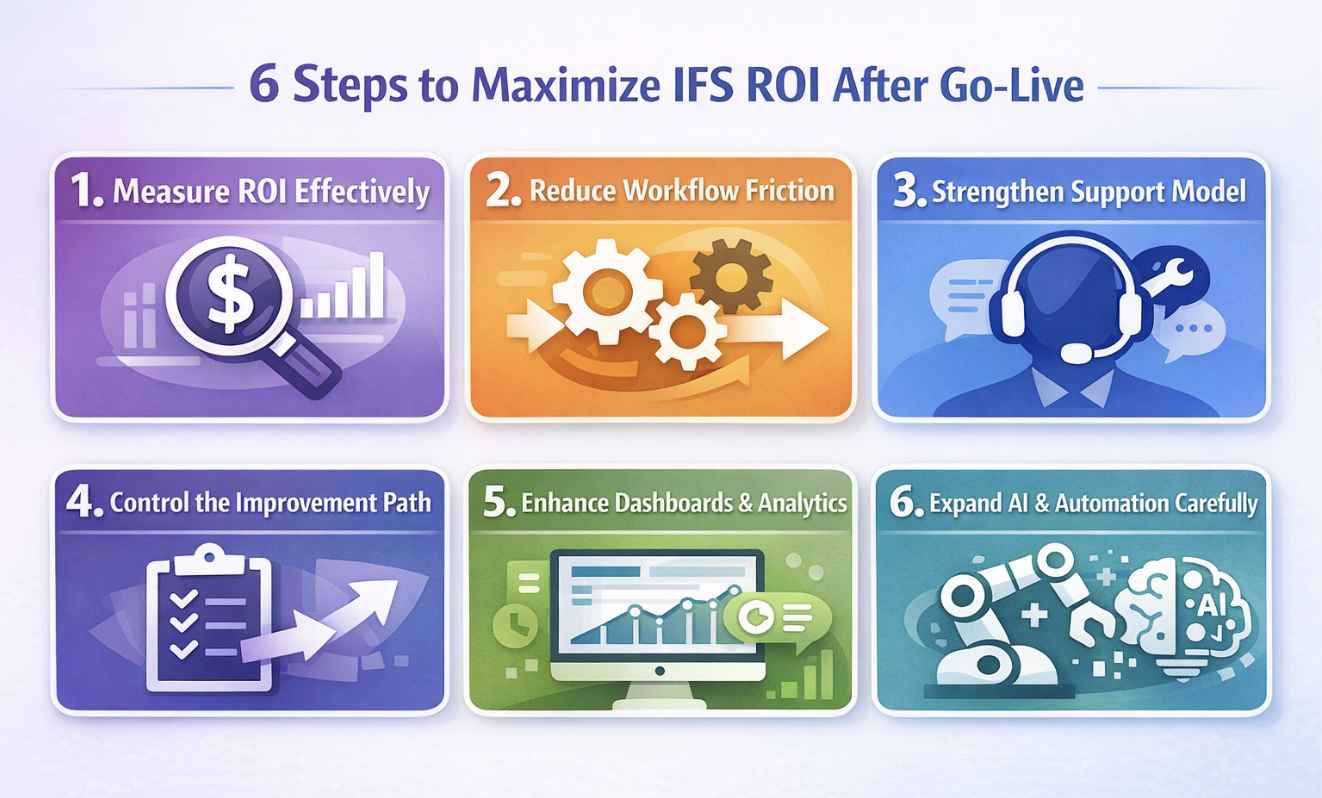
ROI measurement in IFS should begin with the workflows where the platform was expected to change operational behavior. That usually means service delivery, maintenance scheduling, finance control, inventory coordination, project execution, reporting, or some combination of those areas. A broad ROI number may be useful later for executive reporting, but it is too blunt for post-go-live decisions if you cannot show where value is appearing inside the system.
Start by identifying which IFS transactions, records, dashboards, and approval points were supposed to improve. Then review whether those improvements are visible in measurable outcomes. If a live IFS environment was meant to reduce costs, inspect work order quality, backlog age, schedule compliance, and parts readiness. If it was meant to improve service delivery, inspect dispatch timing, completion records, repeat visits, and whether field teams are still relying on side processes. If it was meant to strengthen control, inspect approval lag, reporting delays, audit trails, and exception handling.
|
ROI Area In IFS |
What To Inspect |
What Commonly Breaks |
What Good Looks Like |
|---|---|---|---|
|
Service Delivery |
Dispatch timing, service records, closure quality, repeat work, backlog age |
Delayed updates, weak mobile adoption, missing completion detail, and side trackers |
Service teams update IFS in time for planners and managers to act on the same day |
|
Maintenance Execution |
Work order quality, maintenance scheduling, backlog age, parts reservations, asset history |
Incomplete tasks, poor failure coding, weak planner confidence, disconnected parts data |
Work orders are usable, planners can trust the backlog, and reduced downtime is visible in reports |
|
Finance And Control |
Approval logs, period-close dependencies, exception queues, and report consistency |
Spreadsheet workarounds, inconsistent metric definitions, stalled approvals |
Controllers can use IFS outputs without rebuilding data outside the platform |
|
User Adoption |
Transaction accuracy, workflow compliance, repeat support tickets, and side-process use |
Training drift, weak role clarity, recurring confusion around exception cases |
Users stay inside IFS and support demand shifts from basic usage to targeted optimization |
|
Improvement Program |
Change queue aging, enhancement throughput, and validation of prior changes |
Mixed priorities, no impact review, unclear ownership |
Teams can track ROI across approved changes and prove which ones improved business value |
If teams say reporting is better but still export data before making informed decisions, the ROI claim is weak. If a dashboard is active but no one trusts the thresholds or definitions, the analytics layer is not yet creating real value. Strong ROI measurement depends on metrics like completion quality, backlog age, repeat tickets, approval lag, and report usage being tied to business goals rather than broad assertions about productivity or organizational agility.
Read Next:
Addressing Common Challenges for Successful IFS ERP Implementations and Adoption
Mastering IFS ERP Data Migration: Proven Best Practices for a Seamless Implementation
Workflow friction in IFS usually appears before leadership sees it in reporting. The signs are practical. Users re-enter data. Approvals sit in queues longer than expected. Exceptions are handled in email. Parts are coordinated from separate trackers because the official record is incomplete or late. These patterns are expensive because they reduce trust in the live environment and make ROI measurement less credible.
The review should focus on the places where configured IFS workflows stop matching real operating conditions. High-volume transactions are the first place to look, especially where speed and accuracy both matter. In many environments, the immediate goal is to optimize how teams move work through IFS so they can streamline daily execution instead of compensating for the system.
Duplicate Entry: Check whether users are entering the same customer, asset, service, parts, or approval data in multiple places. That usually points to weak workflow confidence, missing integration behavior, or fields that do not support the task cleanly.
Approval Delay: Inspect records that wait too long for review, release, or financial signoff. In IFS, approval drag often affects purchasing, work release, invoice handling, and contract-related decisions.
Exception Handling: Review urgent work, returns, corrections, partial completions, engineering changes, or contract-specific variations. These cases expose whether the workflow can handle real-world complexity without leaving the system.
Data Reliability: Validate whether asset records, service codes, responsibility mappings, and parts data are accurate enough to support automation, analytics, and real-time decisions.
Role Clarity: Confirm that each IFS step has a clear owner, visible handoff, and recognizable completion point. Weak role design often shows up as recurring support demand rather than obvious workflow failure.
Side-Process Use: Ask where teams still rely on spreadsheets, email chains, or separate notes. Those workarounds usually identify where ROI lies dormant because IFS is not trusted to carry the process end-to-end.
Good workflow improvement produces visible behavior change. Users stop leaving the process. Supervisors stop chasing updates manually. Dashboards become more credible because the records underneath them are timely and complete. Those gains can create a competitive advantage when execution quality improves faster than the surrounding operation can see in older systems.
Read Next: How an ERP System Transforms Field Service Management for Operational Efficiency
A live IFS environment loses value quickly when support demand is treated as background noise. Technical defects, unclear transaction behavior, reporting errors, security questions, and recurring user problems all shape whether people keep using the system properly after go-live. Once support issues start lingering, users compensate with workarounds, local files, delayed updates, and manual coordination. That weakens reporting trust and makes long-term ROI harder to sustain.
Inspect the support queue with more precision than open versus closed tickets. Review repeat issues, ticket age, root-cause categories, user groups affected, and whether recurring problems relate to workflow design, role clarity, data quality, reporting behavior, or true technical defects. If the same user questions surface every month, the environment probably has a training, usability, or process design issue as much as a support issue.
Good support should also protect the improvement roadmap. When technical issues, functional questions, and enhancement requests all pile into the same queue, optimization slows down and high-value work gets crowded out. Separate what needs immediate issue resolution from what needs retraining, what needs design correction, and what deserves roadmap investment. That level of triage is one of the clearest signs that the post-go-live model is mature enough to sustain long-term ROI. It also has a direct role in enabling better enterprise service management because support patterns often expose where handoffs, ownership, and operational controls are weakest.
Astra Canyon’s IFS ERP Support fits this part of the post-go-live picture because it covers technical and functional support tailored to different levels of environment complexity. A more structured post-go-live model can also help teams leverage support data as an input to the roadmap discipline rather than treating tickets as isolated events.
Read Next: How IFS Application Managed Services Deliver ROI, Stability, and Scale
IFS environments lose momentum when every post-go-live issue is managed as the same kind of request. A defect, a reporting fix, a training problem, a workflow redesign, and a new automation idea should not compete in one undifferentiated queue. That approach makes prioritization subjective and hides the real operational consequences of each item.
The roadmap should separate current-state fixes, workflow optimization, and larger capability investments so teams can judge each item by operational consequence. Current-state fixes usually affect reliability, reporting trust, approval delays, or recurring support pain. Workflow optimization usually improves timing, control, handoffs, or decision quality in processes already running inside IFS. Larger capability investments cover broader changes such as automation, modular solutions, expanded analytics, AI, and automation use cases, or new IFS Cloud functionality that requires stronger readiness.
A useful prioritization review should ask four questions for each item. What exact IFS record, workflow, or decision point is affected? What commonly breaks there today? What measurable result should improve? What evidence will confirm the change worked? Without those checks, the roadmap becomes a collection of loosely justified requests instead of a tool for maximizing ROI. ROI requires strategic choices about what to fix now, what to delay, and what depends on selecting the right readiness sequence.
Bullets work best here because the evaluation criteria need to be scannable and usable.
Operational Consequence: Name the exact process, record type, dashboard, approval point, or service step affected. If the impact is vague, the item is not ready for roadmap priority.
Measurable Result: Define which performance metrics should improve, such as reduced downtime, lower maintenance costs, fewer repeat tickets, better closure quality, or shorter approval timelines.
Dependency Exposure: Identify required data cleanup, integration work, role changes, testing effort, or training investments before approval. Hidden dependency is a common reason post-go-live changes miss their timeline.
Adoption Effect: Check whether the change will reduce support demand, remove side processes, improve service quality, or help users make informed decisions faster.
Validation Method: Decide in advance how to collect and analyze evidence after release. If there is no practical way to measure ROI, the item may not belong near the top of the roadmap.
Read Next: Mastering IFS ERP Data Migration: Proven Best Practices for a Seamless Implementation
Dashboards only help if they support a real decision inside a real workflow. A planner dashboard should change how backlog, labor, or parts readiness is managed. A service dashboard should help supervisors spot delays, missing updates, or quality problems before customer satisfaction falls. A finance dashboard should show where approvals, exceptions, or reporting dependencies are slowing control. If the dashboard does not change action, it is not contributing much to ROI.
Start by reviewing each dashboard against the users who rely on it. Which decision is it supposed to support? Which threshold or exception should trigger action? What data object is behind it? How quickly does the underlying information update? If the answer is unclear, the dashboard may be informative on the surface but weak operationally.
Metric discipline matters just as much as visual design. If one team defines service completion one way and another excludes partial or corrected work, the dashboard becomes a source of debate rather than control. Key performance indicators need clear definitions, visible ownership, and enough stability that decision-makers can act without reopening the analysis every time. Engagement metrics are useful only when they are paired with evidence that the dashboard is producing actionable decisions, not just repeated viewing behavior.
Evidence of poor dashboard relevance is easy to find. Users export data before meetings. Managers ask for manual report rebuilds. Teams keep separate trackers to validate what they see in IFS. Those are not minor reporting habits. They show that the analytics layer is not yet trusted enough to support informed decisions.
Read Next:
AI, automation, predictive maintenance, and digital twins can extend ROI in IFS, but only after the live environment is stable enough to support them. Many organizations see the ROI potential of these capabilities and move too early. The usual result is more noise, more exceptions, and more support demand because the underlying workflow control is still weak.
Readiness should be inspected directly. Review data quality, transaction consistency, exception rates, support maturity, and whether users can act on the outputs without leaving the IFS process. Predictive maintenance, for example, depends on usable asset history, reliable failure coding, maintenance scheduling discipline, and monitoring systems that support intervention at the right point. If work orders are inconsistent or planner confidence is low, the model may be technically interesting but operationally weak.
The same test applies to AI and automation in service, planning, approvals, or analytics. Ask what exact workflow will change first, what measurable result should follow, and what evidence shows the surrounding teams can sustain the new capability. That sequence helps enterprise leaders decide whether a proposed enhancement is likely to unlock business value or simply add one more layer of complexity to a live IFS environment. Proven strategies usually start with narrow, high-confidence use cases rather than broad claims about technologies like AI.
Read Next:
Long-term ROI depends on who owns roadmap decisions, reporting definitions, support priorities, and post-change validation once the project team stands down. Without that structure, a live IFS environment can stay busy while becoming progressively less reliable as a decision platform. The symptoms are familiar: conflicting metrics, recurring support issues, approval drift, weak retraining, and too many changes entering production without enough validation.
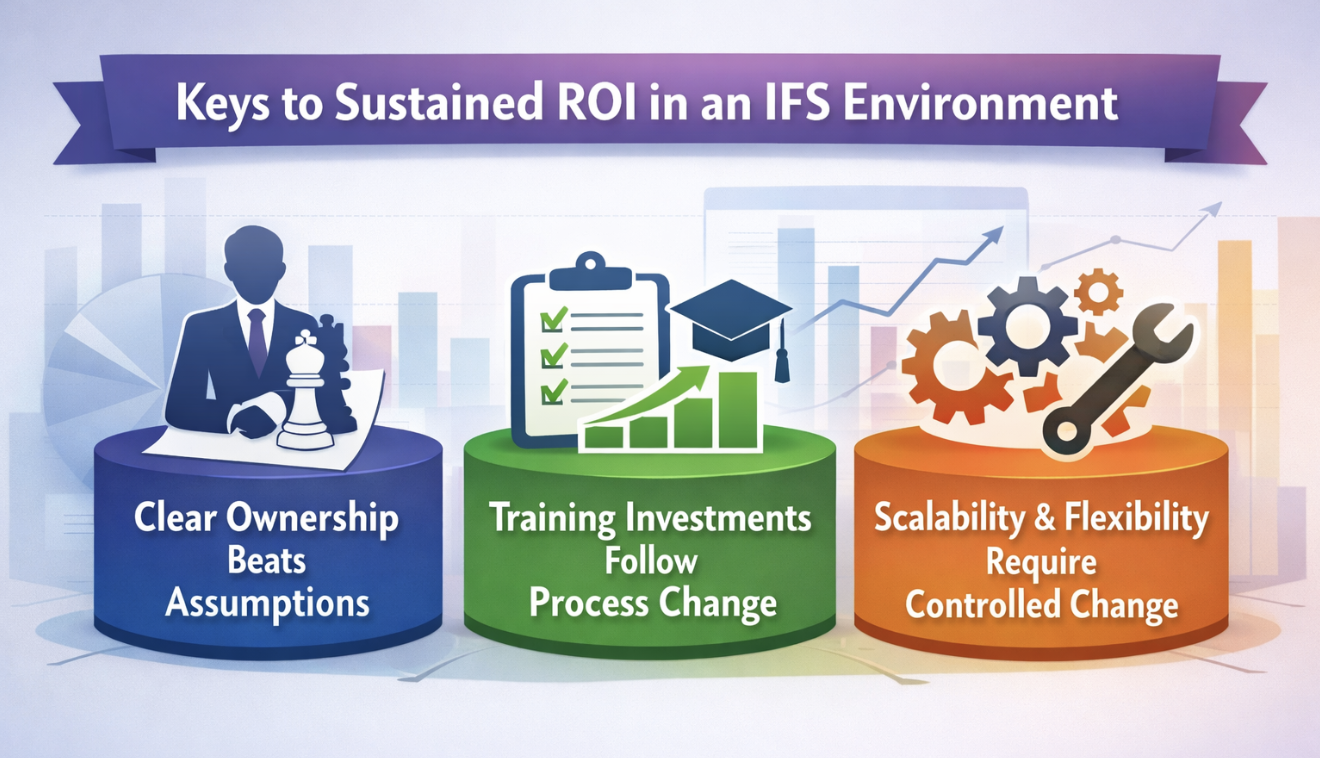
Shared responsibility sounds collaborative, but it often leaves live IFS environments under-governed. If no one owns dashboard definitions, release priorities, support triage, and post-change validation, recurring issues stay open longer, and improvement work loses coherence.
Inspect who approves roadmap items, who decides whether an issue belongs in support or in the roadmap, who owns metric definitions, and who confirms that a released change actually improved the targeted workflow. If those decisions are happening informally, the environment is likely absorbing more risk than leadership can see.
Good ownership also helps interpret uneven results. Service delivery may improve before finance closes faster. Asset maintenance may stabilize before customer satisfaction moves. Someone needs to connect those partial gains back to business goals and decide where the next round of optimization belongs. That governance model often has a direct role in enabling implementation success after the official project phase ends.
Training drift is one of the easiest ways to weaken IFS ROI after go-live. Users may know how to complete core ERP transactions, yet still struggle with nonstandard cases, reporting interpretation, role boundaries, or workflow changes introduced months later. Those gaps show up in incomplete records, repeated support tickets, and weak confidence in dashboards.
Transaction Quality: Review incomplete fields, repeated corrections, and records that users routinely reopen. These are stronger signals than broad training satisfaction scores.
Exception Scenarios: Inspect how teams handle reversals, urgent work, partial completions, returns, and approval exceptions. This is where weak process understanding usually surfaces first.
Dashboard Interpretation: Confirm that users know what action should follow a threshold, alert, or status change. Reading a dashboard is not the same as using it well.
Post-Change Reinforcement: Tie every approved workflow or reporting change to targeted training. Otherwise, the system changes, and the behavior does not.
Support Signal Review: Repeated “how should I do this in IFS” questions often reveal training gaps more clearly than formal assessments.
Training investments should be tied to role behavior, report usage, and workflow reliability if the goal is to sustain long-term ROI.
Scalability and flexibility in IFS depend on whether the live environment can absorb new requirements without degrading workflow control, supportability, or reporting consistency. This is where many post-go-live environments start to slip. New sites, new roles, new integrations, new analytics, and new process variations are added one at a time until the system becomes harder to support and harder to trust.
Review how changes are proposed, tested, approved, and validated. Check whether new requirements are assessed against existing infrastructure, support load, reporting definitions, and the workflows already in production. Also, inspect whether regular check-ins are built into the release cycle so teams can track progress and confirm that changes improved the intended result. This is especially important in live environments adopting cloud services or expanding capability in ways that need to adapt to changing business conditions.
Application-managed support is often useful here because it creates a structure for keeping the environment stable while adapting it. Astra Canyon’s Application Managed Services supports IFS Apps 8, 9, 10, and IFS Cloud with Level 2 issue resolution, user support, enhancements, configuration changes, patching, proactive monitoring, targeted training, and knowledge transfer.
Read Next:
How IFS Application Managed Services Deliver ROI, Stability, and Scale
IFS Cloud Upgrade Guide: Moving from Applications 10 Without Breaking Everything
IFS ROI usually stalls for reasons teams can inspect directly in support queues, dashboards, workflow delays, and training behavior. The warning signs tend to appear long before executive reporting reflects the problem.
Weak ROI Discipline: Teams talk about business value but cannot track ROI against specific IFS workflows, impact metrics, or measurable operational gains.
Recurring Support Noise: The same defects, functional questions, and report issues keep resurfacing, which raises effort and weakens confidence in the environment.
Low Dashboard Credibility: Users rebuild reports outside IFS or validate figures in separate files before they act.
Roadmap Congestion: Current-state fixes, enhancement requests, and larger technology investments all compete in one queue.
Training Drift: Process changes are released without enough reinforcement, so users continue working around the intended design.
Premature Automation: Teams try to automate unstable workflows or expand AI and automation before the underlying records and controls are reliable.
Poor Progress Reviews: Approved changes move into production without enough follow-up on whether the expected measurable result actually appeared.
Architecture Drift: New requirements are added in ways that hurt supportability, reporting stability, and long-term control.
A thorough roadmap should help teams judge what needs immediate correction, what deserves workflow optimization, and what should wait until the environment is stable enough for a larger investment. That sequence gives decision-makers a better way to track ROI within a live IFS environment instead of relying on broad status updates.
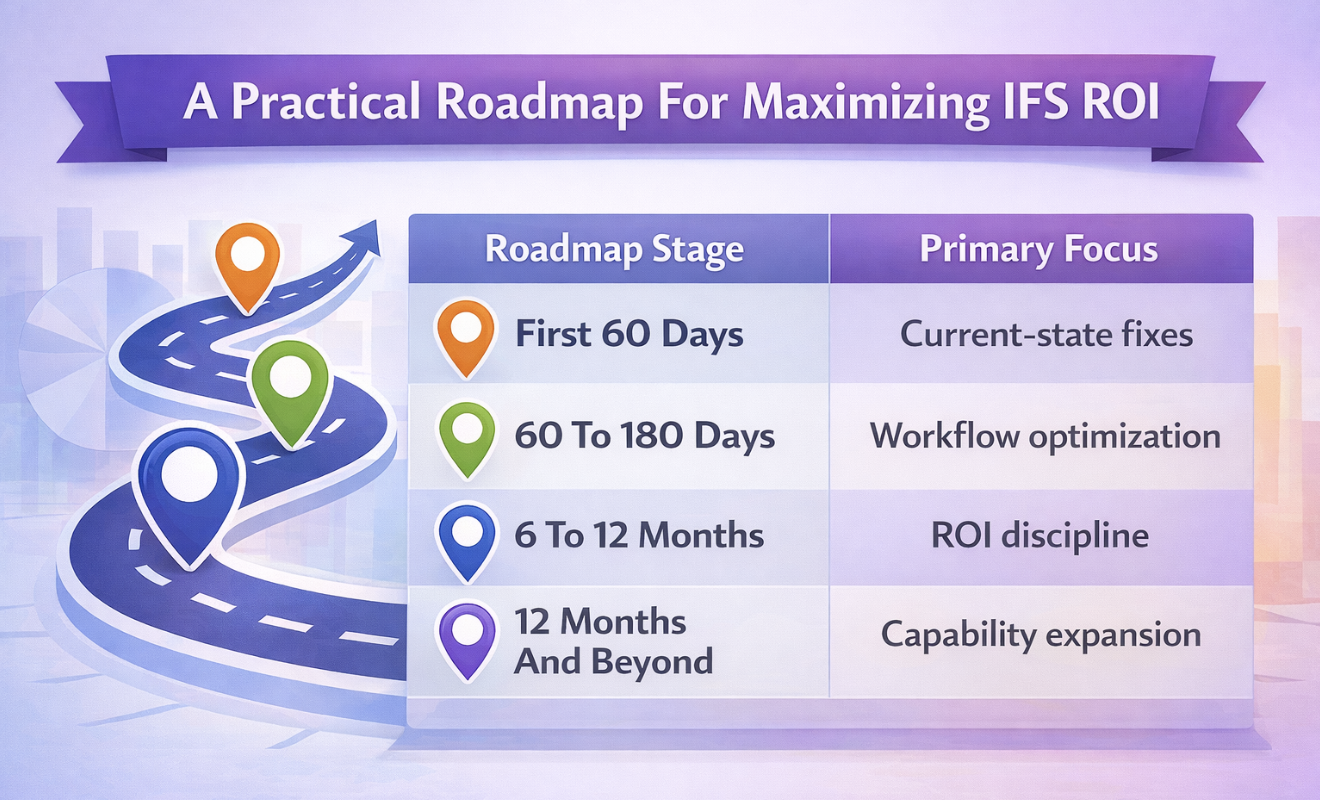
|
Roadmap Stage |
Primary Focus |
What To Review |
Evidence That The Stage Is Working |
|---|---|---|---|
|
First 60 Days |
Current-state fixes |
Repeat tickets, transaction errors, approval lag, side-process use, dashboard trust, delayed updates |
Support demand starts narrowing, records improve, and users rely less on offline workarounds |
|
60 To 180 Days |
Workflow optimization |
High-friction handoffs, maintenance scheduling, service delivery delays, role confusion, training drift |
Better closure quality, stronger service quality, fewer avoidable escalations, clearer ownership |
|
6 To 12 Months |
ROI discipline |
ROI tracking model, impact metrics, key performance indicators, roadmap validation, measurable outcomes |
Teams can measure ROI with stronger evidence and show which changes improved business value |
|
12 Months And Beyond |
Capability expansion |
AI readiness, automation candidates, predictive maintenance use cases, digital twins, support capacity, and IFS Cloud fit |
Technology investments are sequenced around readiness and linked to long-term ROI rather than novelty |
Post-go-live improvement only sustains ROI when the live IFS environment becomes easier to trust, easier to support, and easier to improve with evidence. Teams should be able to point to cleaner workflows, more reliable reporting, lower support noise, and stronger roadmap control rather than broad claims about optimization. That is usually the clearest sign that a production IFS environment is producing real value and that investments translate into operational gains instead of staying theoretical.
Review: Tie each approved change to one workflow, one owner, one metric, and one expected operational result.
Verify: Check whether support patterns, user behavior, and reporting outputs actually improved after the change was released.
Sequence: Move into AI, automation, predictive maintenance, or broader platform changes only when the underlying workflow is stable enough to support them.
Post-go-live priorities usually become clearer once recurring issues, enhancement demand, and reporting changes are examined together. Astra Canyon supports live IFS environments with Application Managed Services and IFS ERP Support, helping teams manage issue resolution, user-facing support, enhancement handling, and ongoing change after launch.
Book a call to build your post-go-live roadmap to strengthen support discipline, improve trust in reporting, and focus investment on the changes most likely to increase long-term ROI.
You measure ROI in ERP implementation by comparing the business case to what the live environment is producing after go-live. In an IFS environment, that usually means inspecting workflow cycle times, reduced downtime, maintenance costs, approval lag, service delivery quality, support demand, and reporting reliability. A useful ROI calculation should connect those outcomes to specific records, workflows, and operating decisions inside the system.
ERP systems improve ROI when they remove rework, improve workflow control, tighten reporting, and help teams act earlier on delays, backlog, and exceptions. In IFS, the strongest gains usually come from better scheduling, clearer approvals, cleaner transaction execution, stronger analytics, and lower dependence on side processes. Support quality and continuous improvement to determine whether those gains hold.
A good ROI for an ERP system depends on what the organization needs the platform to change. Some environments see early gains in control, reporting, and auditability. Others see them first in service delivery, maintenance execution, or cost savings. The better test is whether the organization can show measurable progress against its own business goals and sustain that progress over time.
ERP implementations often fail to deliver ROI because the live environment is not controlled tightly enough after go-live. Support issues remain open, workflows do not fit real operating conditions, dashboards are not trusted, and roadmap choices are not tied clearly enough to measurable business value. The software may be active, but the operating model around it is still weak.
The timeline depends on process discipline, support maturity, data quality, and how quickly post-go-live problems are resolved. Some IFS environments show early gains in visibility, reporting speed, or approval control within a few months. Broader long-term ROI usually takes longer because it depends on workflow stabilization, adoption depth, and a roadmap that keeps improvement work focused.
A continuous improvement roadmap for IFS should include current-state fixes, workflow optimization targets, support trends, reporting needs, training follow-up, ownership, dependencies, and measurable validation criteria. It should distinguish between technical defects, functional support issues, process improvements, and larger capability investments so teams can track ROI and make informed decisions about what belongs next.
 Blake Snider : Apr 29, 2026, 11:00:00 AM
Evaluate IFS Cloud for enterprise asset management EAM across asset data, planning, compliance, analytics, and support before rollout.
 Blake Snider : Jun 9, 2026, 10:00:00 AM
Learn how IFS Cloud helps utilities and oil & gas operators manage STO (Shutdown, Turnaround, and Outage) events with greater visibility and control.

 Astra Canyon Marketing : Nov 19, 2025, 12:00:00 AM
Maximize ROI with the best ERP for oil and gas in 2026. Discover how AI-driven asset management and automated ESG reporting streamline compliance and...